Case Studies
Systems we have built — and how.
One client project and two solution demos, told plainly: the problem, what the system does, the stack, and how it is delivered.
Client names and identifying details are withheld. Demos use a fictional business and sample data.
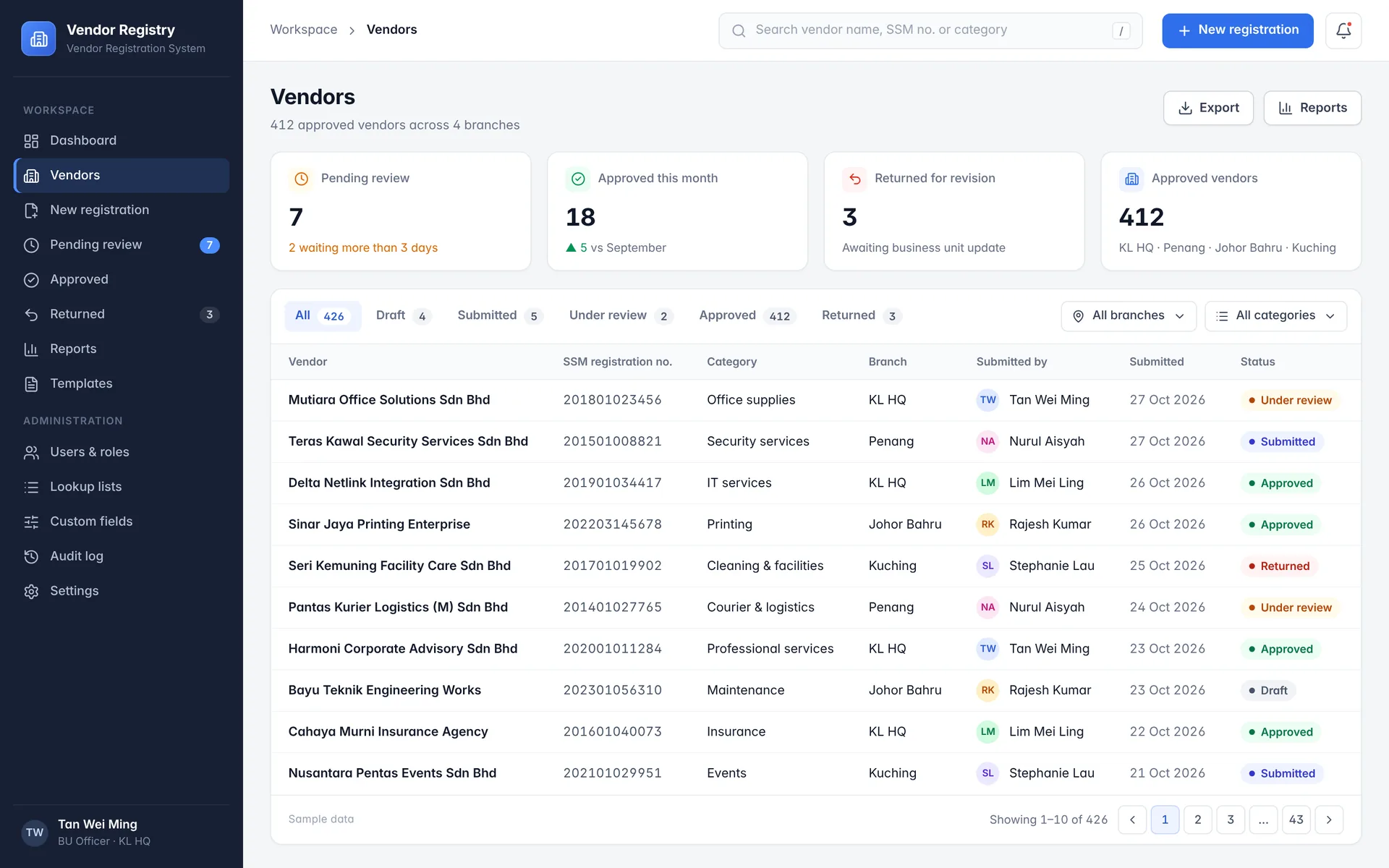 01Workflow & ApprovalClient project
Vendor Registration System
Business units register vendors online, every request is routed for approval, and one approved vendor list is kept with a full audit trail.
Read case →
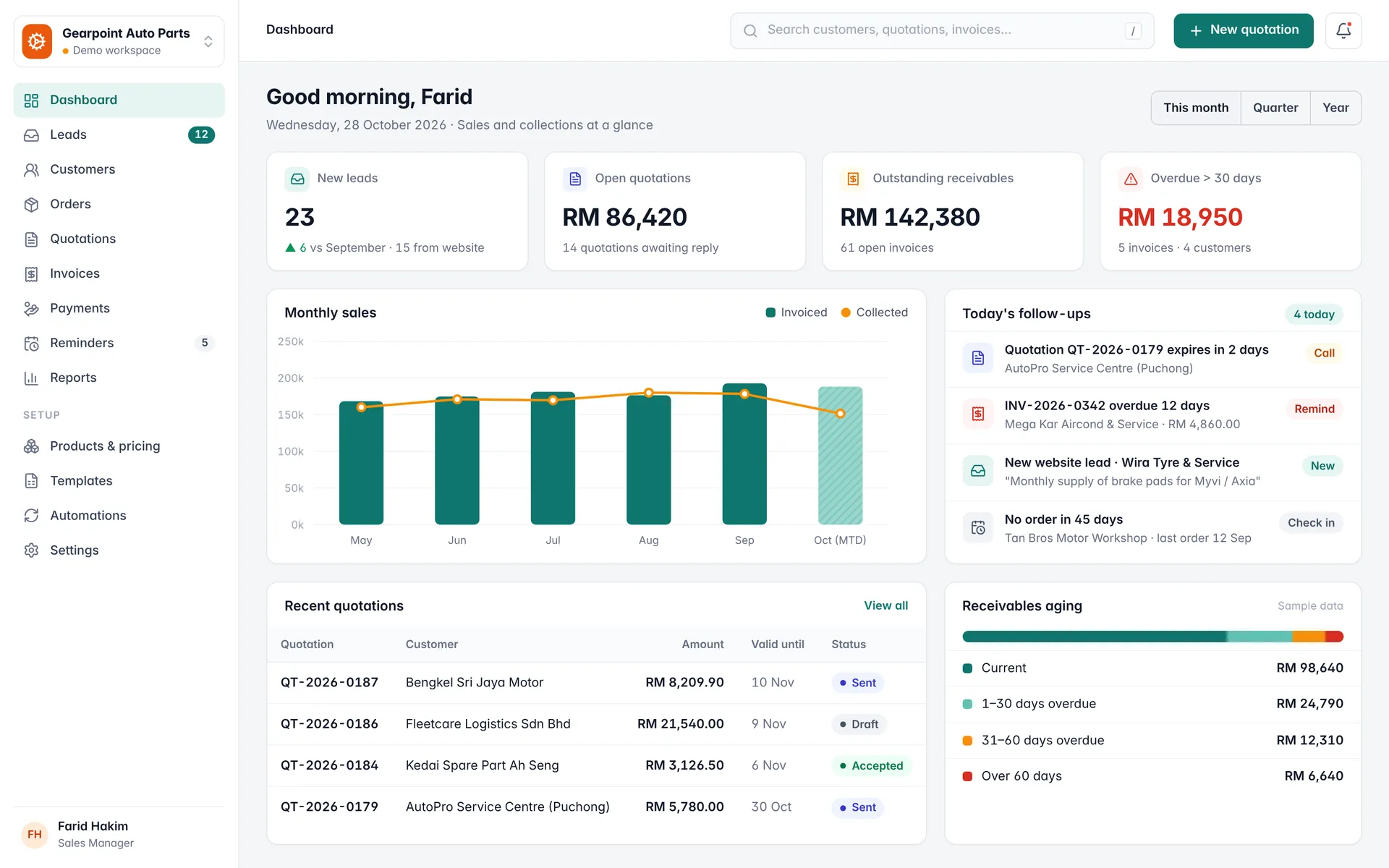 02CRM & BillingSolution demo
CRM with Quotation & Invoicing
A car-parts distributor's leads, trade quotations, invoices and credit-term collections in one place.
Read case →
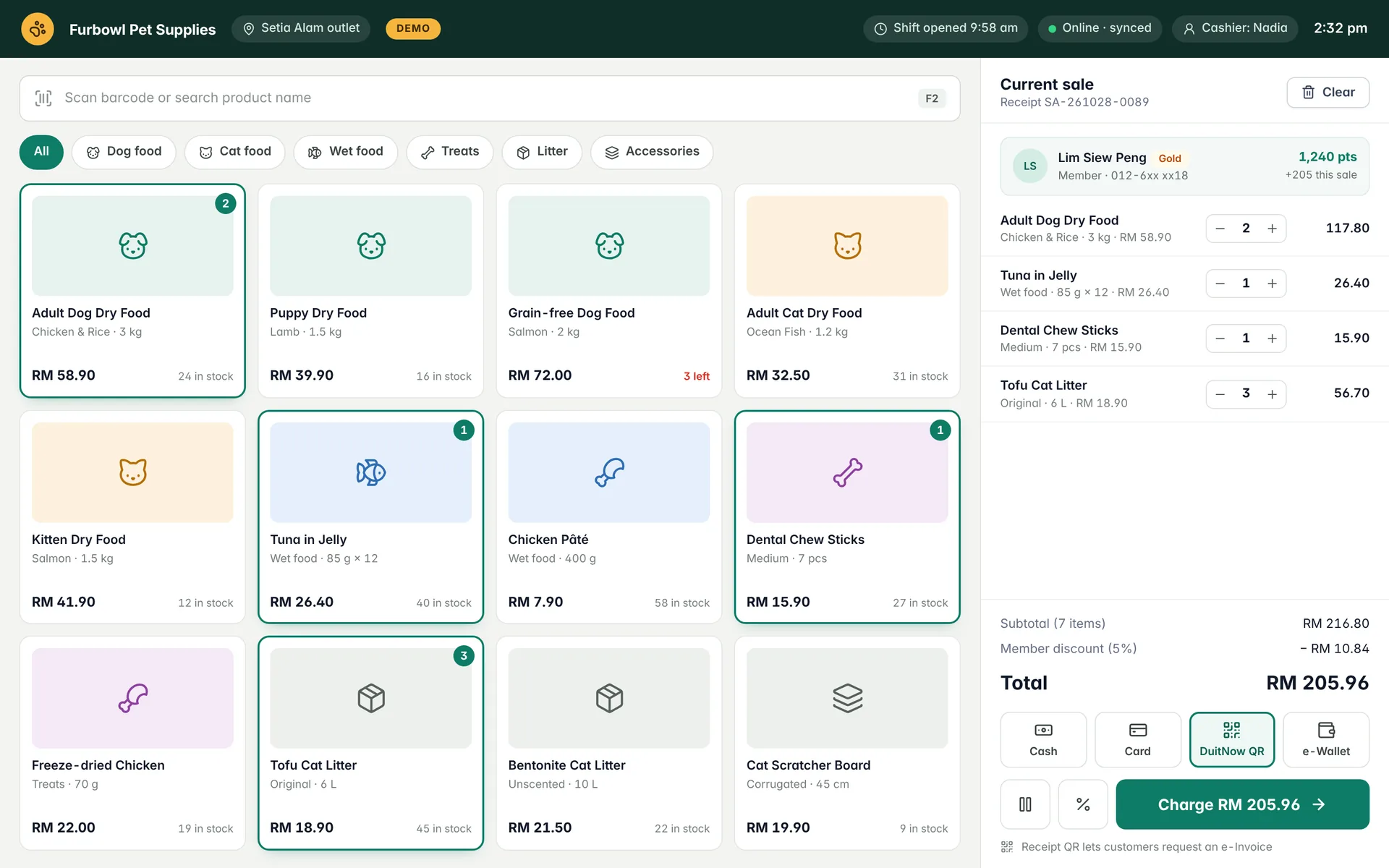 03Retail POSSolution demo
Multi-Outlet POS System
Three pet-food outlets on one system: quick checkout, stock per outlet, shared member points and a live view for the owner.
Read case →
Vendor Registration System
One web system where business units register vendors, route each one for approval, and keep a single approved vendor list — with every change recorded.
- Business unit submits
- Duplicate check
- Review
- Approved vendor list
- Email notice
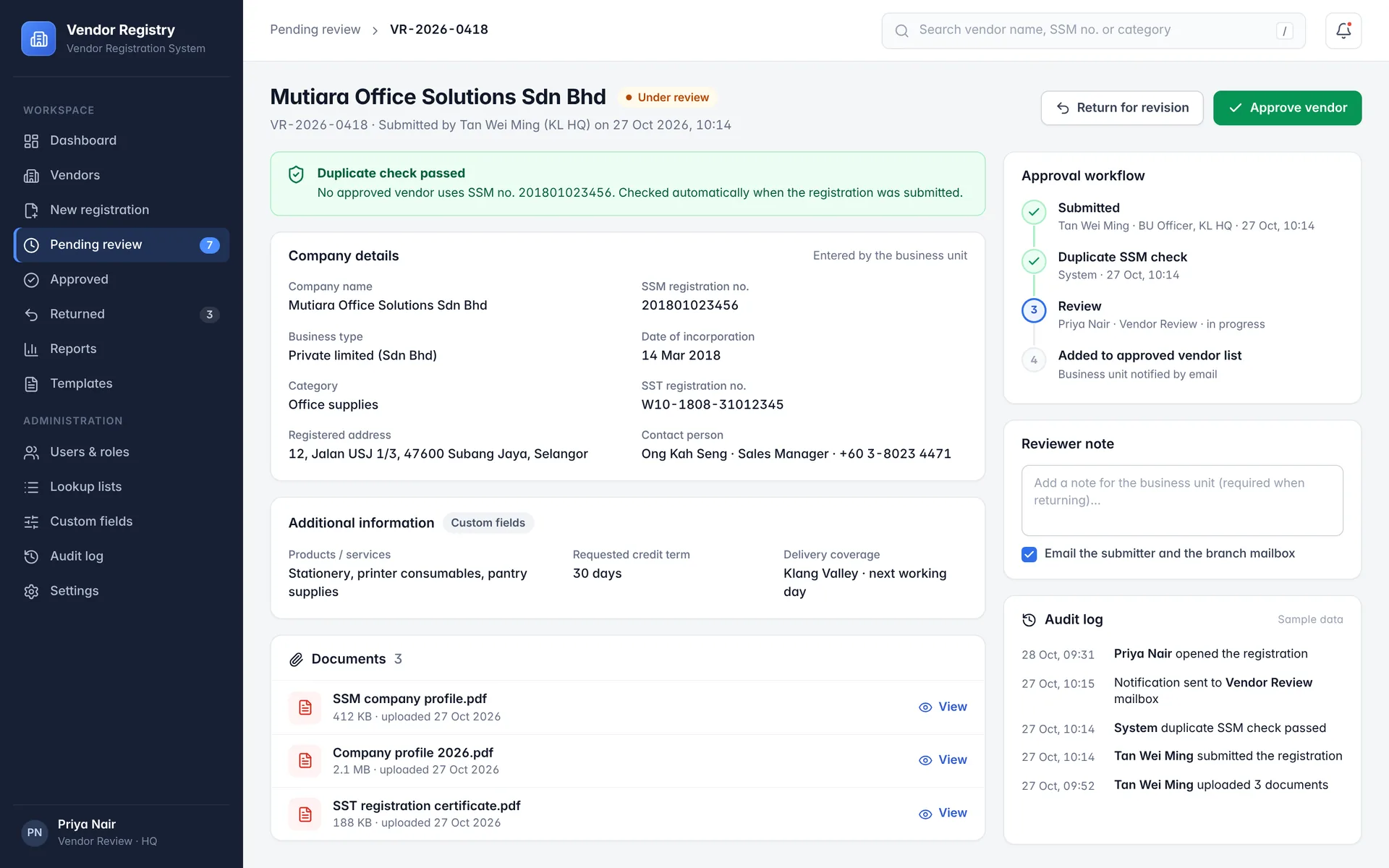
Screens redrawn with sample data; client branding removed.
Background
The client is a Malaysian company with several branches. Each branch engages its own suppliers, but the approved vendor list is controlled centrally.
The challenge
Registering a new vendor involved more than one team. Business units needed one place to submit vendor details and supporting documents. The reviewing team needed a clear queue to approve or return each request. Management needed to see who changed what, and when.
What we built
- Registration form with configurable custom fields, lookup lists and document uploads
- Two-step workflow — the business unit submits, the reviewing team approves or returns
- Duplicate check on the company registration (SSM) number against approved vendors
- Email notifications through the company's existing mail relay, sent to a shared team mailbox
- Admin void and modify, with every change written to an audit log
- Branch-based access, one active session per user, configurable password policy
- Reports and document templates
Directory sign-in (AD / SSO) was held for a later release, so the core workflow could reach users first instead of waiting on integration work.
- Client
- Malaysian company, multi-branch · anonymised
- Deployment
- On-premise, on the client's own server
- Stack
- PHPPostgreSQLDockerUbuntu Server
- Delivery
- Two phased releases — core form and data first, then email, workflow and reports — each through user acceptance testing
CRM with Quotation & Invoicing
A CRM sized for a trading SME: website enquiries arrive as leads, quotations are built from the price list, accepted quotations become invoices, and credit-term collections are chased automatically.
Demo scenario: Gearpoint Auto Parts, a fictional car-parts distributor in Selangor that supplies independent workshops and fleet operators. All names and figures are sample data.
- Website enquiry
- Lead
- Customer
- Quotation
- Invoice
- Payment
- Reminder
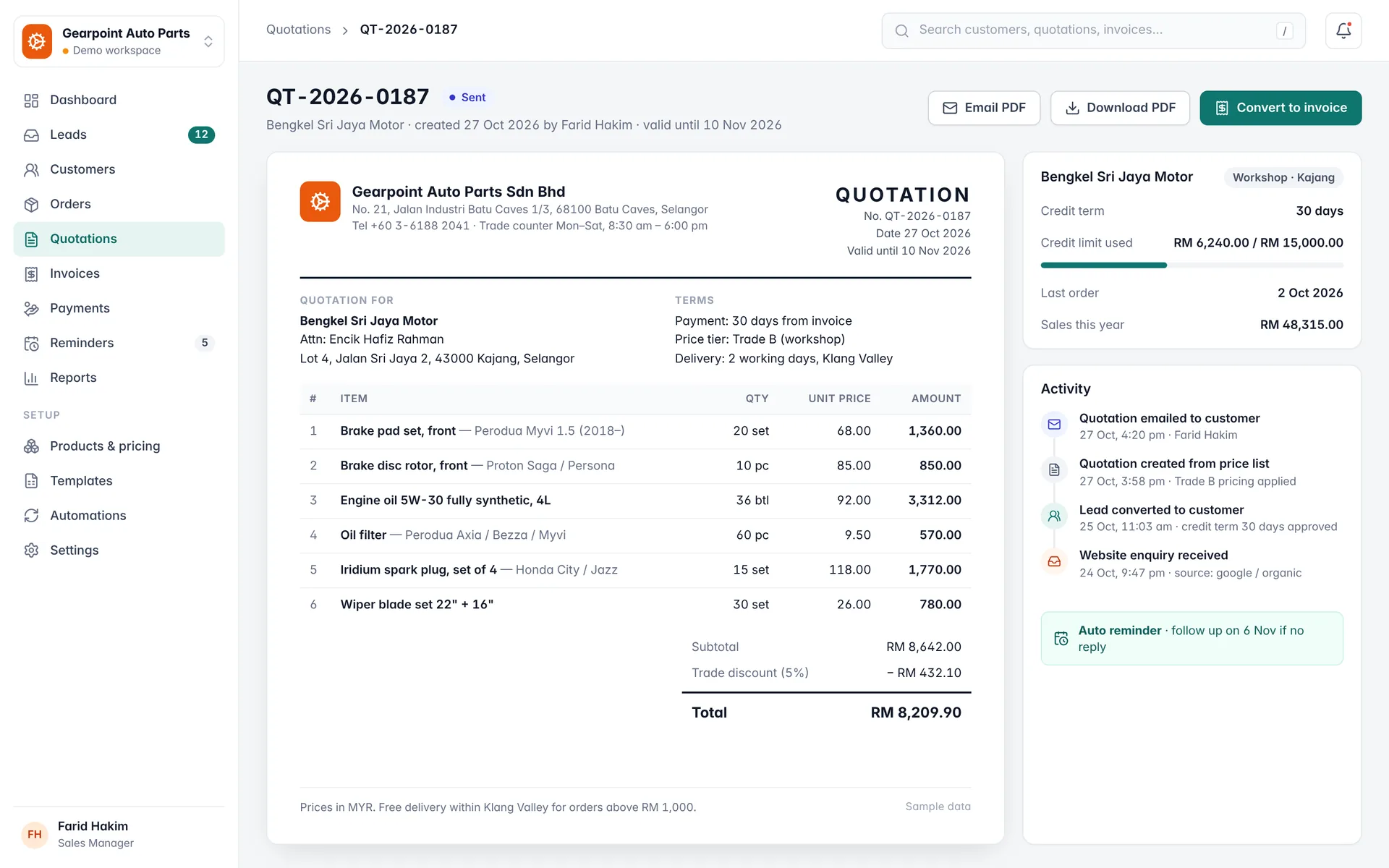
Demo workspace with a fictional business and sample data.
The scenario
A distributor with a six-person sales team and around 300 workshop customers. Orders arrive by WhatsApp and phone, quotations are typed in Excel, and collections on 30-day terms are tracked in a notebook. Nobody can see which workshops have stopped ordering until the month's sales come in short.
What the system does
- The website enquiry form posts straight into the CRM as a new lead, with the traffic source (UTM) recorded
- Customer records carry their credit term, credit limit and price tier
- Quotations are built from the product price list, exported to PDF and emailed from the system
- Accepted quotations convert to invoices; payments are recorded against them and aged in 30-day buckets
- Automated reminders (n8n) for quotations about to expire, overdue invoices, and customers with no order in 45 days
- Dashboard: leads, open quotations, receivables, and invoiced against collected by month
- AI assistant: staff ask “How many quotations are pending?” and get the answer with a link to the list. Try the demo
Numbering, totals and locks are enforced in the database, not on the screen. An issued invoice cannot be edited or renumbered by anyone.
- Scenario
- Car-parts distributor, Selangor (fictional)
- Deployment
- Small VPS under the client's own account, with snapshots and off-site database backups
- Stack
- NocoDBn8nHTML-to-PDFDocker
- Suggested rollout
- Phase 1: leads, customers, price list and quotations. Phase 2: invoices, payments and aging. Phase 3: reminder rules, dashboard and AI assistant.
Multi-Outlet POS System
A point-of-sale system for a small retail chain: quick checkout at every counter, stock tracked per outlet, member points that work at any outlet, and one live view for the owner.
Demo scenario: Furbowl Pet Supplies, a fictional pet-food retailer with three outlets in Selangor — Setia Alam, Kota Kemuning and Bukit Tinggi, Klang. All names and figures are sample data.
- Scan
- Payment
- Receipt
- Stock update
- Daily closing
- HQ view
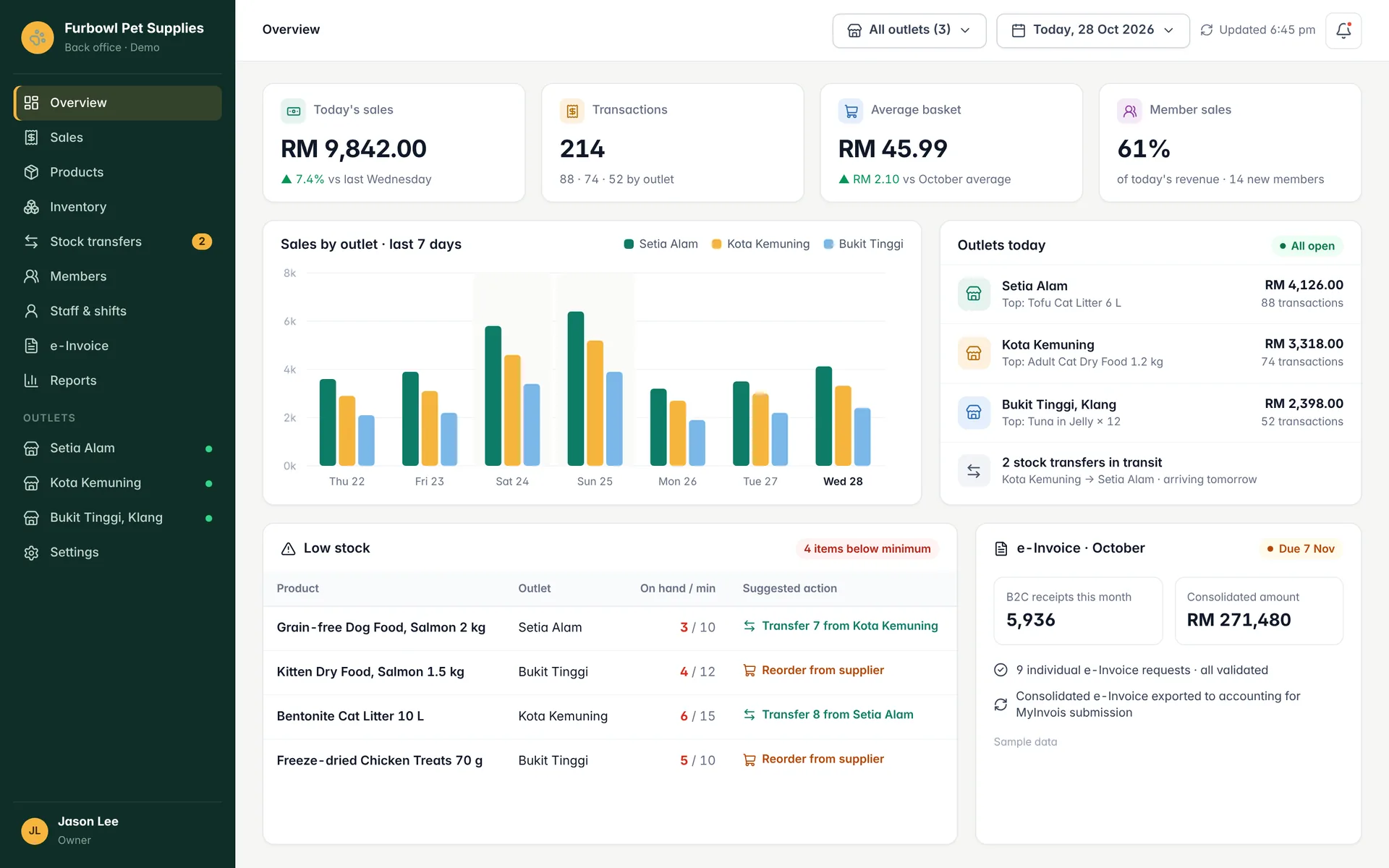
Demo with a fictional business and sample data.
The scenario
Three outlets, each with its own cash register and its own notebook. Stock is counted by hand at month end, so the owner learns a product has run out when a customer complains. Member points sit on paper cards that only work at the outlet that issued them, and sales figures arrive only after each outlet closes for the day.
What the system does
- Touch-friendly checkout in the browser, with barcode scanning and a receipt printer
- Payment method recorded on every sale: cash, card, DuitNow QR or e-wallet
- Stock per outlet, updated on every sale, with minimum levels and transfer suggestions between outlets
- Members looked up by phone number; points earned and redeemed at any outlet
- Shift open and close, and a daily cash-drawer closing for each outlet
- HQ overview: sales by outlet and low stock, with sales export for the accountant
Counters run in the browser on any tablet or PC instead of dedicated POS terminals. A fourth outlet needs a login and a receipt printer, not a hardware contract.
- Scenario
- Pet-food retailer, three outlets in Selangor (fictional)
- Deployment
- Cloud VPS; counters run in the browser on a tablet or PC
- Stack
- Web app (PWA)PostgreSQLDocker
- Hardware
- Thermal receipt printer, barcode scanner, cash drawer
- Suggested rollout
- Phase 1: checkout, products and stock per outlet. Phase 2: members, transfers and HQ overview. Phase 3: reports and accounting export.
Running a process on spreadsheets and WhatsApp?
Tell us how it works today. On the first call we will tell you whether it needs a fixed-scope project or a 2–4 week proof of concept — or neither.